
Guide
How to Prep Cards for Grading
Good card prep isn't about making a card better than it is. It's about removing preventable handling issues, understanding the card's true condition, and getting it to the grader safely.
These are the six steps we use to evaluate and prepare cards before submission to PSA, BGS, SGC, or CGC — plus the line you should never cross between prep and alteration.
We evaluate and prep cards for grading for $10 each.
Every card gets the six steps below, plus an estimated grade and a recommendation — and nothing is submitted without your approval.
Why prep a card before grading?
Grading is unforgiving. A fingerprint, loose debris, poor centering, a soft corner, or an unnoticed surface defect can be the difference between the grade you're expecting and the grade you actually receive.
Just as important, cards are often damaged before they ever reach the grader: grit on a desk, a card dragged across a surface instead of lifted, a corner caught while sleeving, or a stack packed too loosely for shipping.
The goal of proper prep is simple:
Know exactly what you're submitting, remove only what can safely be removed, and protect the card from the moment you inspect it until the moment the grader opens the package.
This gives your cards the best possible chance at their highest grade.
Start with a clean, well-lit workspace
Before the card comes out of its sleeve, set up the workspace.
Use a clean, soft, non-abrasive mat and a bright adjustable light positioned at a low angle to the card. Overhead lighting is fine for general inspection, but angled or "raking" light is what reveals fine scratches, print lines, dimples, fingerprints, and other surface issues.
- Wash and completely dry your hands. Skip hand lotion.
- Handle raw cards by the edges whenever possible.
- Never place a card directly on a hard or dirty desk.
- Keep cards, sleeves, cloths, and tools in separate areas so debris doesn't transfer between them.
- Lift cards from the surface. Don't slide them.
Gear for this step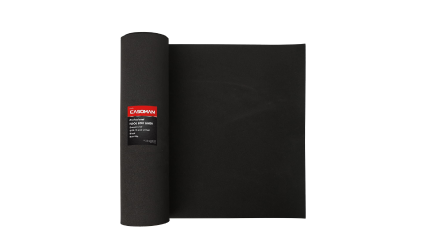 Workspace MatSoft, non-abrasive surface for face-down cards.View on Amazon ↗
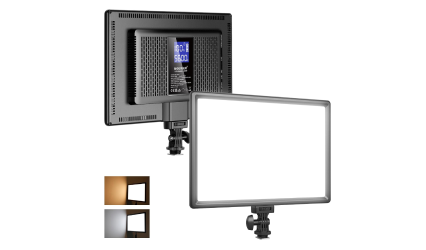 Neewer LED LightAdjustable, bright, and easy to angle low.View on Amazon ↗
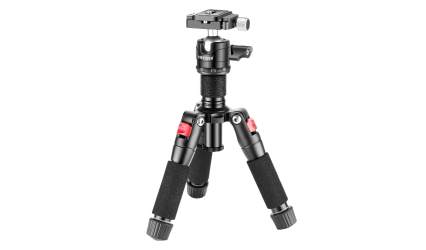 Tabletop TripodHolds the light at a raking angle, hands free.View on Amazon ↗
Affiliate links — we may earn a small commission at no additional cost to you. We only link to gear we actually use or recommend.
Evaluate the card before doing anything to it
Before you clean, sleeve, or submit a card, determine what you actually have.
Inspect the corners, edges, centering, and surface on both the front and back. Magnification can help identify defects that are easy to miss with the naked eye.
Focus on these 4 key areas:
Corners
Look for whitening, softness, fraying, bends, or compression. On high-grade modern cards, even a small corner defect can matter.
Edges
Check for chipping, rough cuts, whitening, dents, and factory edge issues. Dark-bordered cards make edge wear especially easy to see.
Centering
Compare the left/right and top/bottom borders. Don't assume an otherwise flawless card is a Gem Mint candidate if the centering isn't there.
For reference, PSA's current published standard for a PSA 10 allows approximately 55/45 centering on the front (55% of the border on one side, 45% on the other). Grading is still subjective, and eye appeal matters.
Max gradePSA 10PSA's published tolerance for a Gem Mint 10. Borders this uneven are still inside it. Left/right on the front, per PSA's published centering guideline. Top/bottom is judged the same way; back centering is more forgiving.
Surface
Tilt the card slowly under angled light. Look for:
- Scratches
- Print lines
- Dimples
- Indentations
- Roller marks
- Fingerprints
- Loose dust or debris
- Staining or discoloration
Gear for this step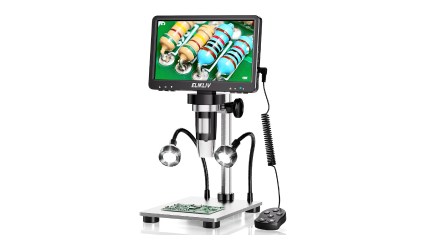 Digital MicroscopeCorners and edges at magnification, on a screen.View on Amazon ↗Neewer LED LightAdjustable, bright, and easy to angle low.View on Amazon ↗
Affiliate links — we may earn a small commission at no additional cost to you. We only link to gear we actually use or recommend.
Remove loose surface contamination — carefully
This is where restraint matters.
The safest kind of card prep removes loose, superficial contamination without changing the card itself. Think dust, fibers, or a light fingerprint on an appropriate glossy surface.
Use a clean, extremely soft microfiber cloth with almost no pressure. If something doesn't come away easily, stop.
The rule: don't try to fix the card
A scratch is not dirt.
A print line is not dirt.
A stain is not dirt.
A damaged surface is not dirt.Trying to remove those defects can turn an imperfect but gradable card into an altered card.
Avoid abrasive compounds, erasers, household cleaners, alcohol, whitening products, waxes, polishes, or anything designed to remove material from the card's surface.
Be especially conservative with vintage and uncoated paper stock. In many cases, the safest cleaning method is no cleaning at all.
Gear for this step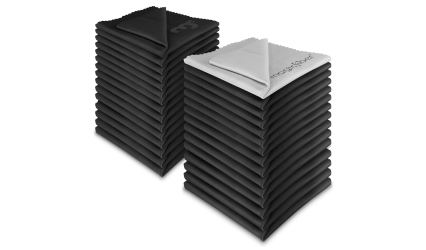 MagicFiber Microfiber ClothsExtremely soft; lifts dust without pressure.View on Amazon ↗
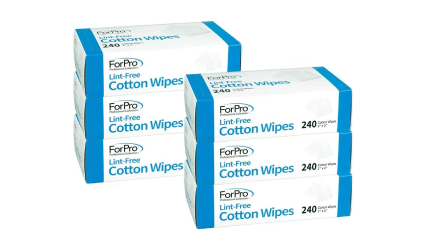 Lint-Free Cotton WipesFor edges and corners where a cloth is too big.View on Amazon ↗
Affiliate links — we may earn a small commission at no additional cost to you. We only link to gear we actually use or recommend.
Reinspect it — and know when to stop
After handling or removing loose contamination, put the card back under the same lighting you used during the initial evaluation.
This second inspection matters because fingerprints and debris can hide surface defects. Once the surface is clean, scratches, print lines, indentations, or other flaws may become easier to see.
Check all four categories again:
CornersEdgesCenteringSurfaceThen make the grading decision. Ask yourself:
If this card comes back one grade lower than I'm hoping for, does submitting it still make sense?
If the answer is no, that's usually the card to keep raw.
And if you find yourself thinking, "I can probably fix that," stop. That's where preparation ends and alteration begins.
Sleeve the card correctly
Once you're finished inspecting the card, protect it immediately.
For standard cards, place the card into a clean penny sleeve and then into the appropriate semi-rigid holder. Don't force a card into a tight sleeve or holder — that's how corners get damaged during prep.
- One card per holder.
- Keep both sides of the card clearly visible.
- Don't tape the holder closed.
- Don't attach sticky notes or pull tabs unless the grading company specifically requests them.
- Keep cards in the exact order shown on your submission.
- Always verify the grading company's current submission requirements before shipping.
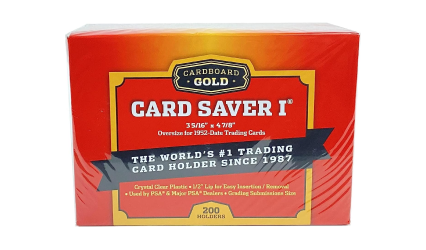
For PSA submissions, semi-rigid holders such as Card Saver I are the standard format today — check PSA's current requirements before you ship.
Gear for this stepAffiliate links — we may earn a small commission at no additional cost to you. We only link to gear we actually use or recommend.
Pack it like the cards matter
You've done all the work. Don't lose a corner in shipping.
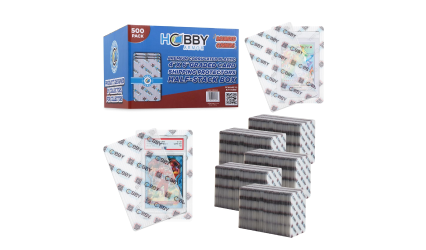
Keep the submitted cards together in order and protect the stack between rigid cardboard or purpose-built submission protectors. Secure the stack firmly enough that the cards can't shift, but not so tightly that the holders bend or compress.
Then place the protected stack inside a sturdy shipping box with padding around it so nothing moves during transit.
Before sealing the box:
- Confirm the cards match your submission form.
- Include any paperwork required by the grading company.
- Photograph the cards and packed shipment.
- Use tracking.
- Insure valuable shipments appropriately.
- Keep your tracking and submission information until the cards are safely returned.
Gear for this stepAffiliate links — we may earn a small commission at no additional cost to you. We only link to gear we actually use or recommend.
The Line You Don't Cross
Good prep helps a grader see the card you already own.
Alteration attempts to change the card.
That's an important distinction. A card with evidence of trimming, recoloring, restoration, pressing, scratch removal, enhanced gloss, or certain types of cleaning may be rejected, designated Altered, or encapsulated without a numerical grade.
Here are five things we would never do to a card being submitted for grading.
Never trim an edge
Don't cut, shave, sand, or otherwise modify an edge to improve centering or remove damage.
Factory dimensions and edge characteristics matter, and graders specifically look for evidence of trimming.
Never recolor or touch up a card
Don't use markers, paint, ink, or other materials to hide edge whitening, chipped borders, scratches, or missing color.
It may look better to the naked eye. It doesn't make the card original again.
Never try to remove scratches or restore gloss
A scratch is part of the card's condition.
Buffing, polishing, abrasive compounds, or treatments designed to restore shine can physically alter the surface. The same goes for applying waxes or other substances intended to enhance gloss.
If the scratch is there, evaluate the card with the scratch.
Never use chemicals to remove stains or discoloration
Water, solvents, alcohol, whitening products, cleaning sprays, and similar treatments can permanently change paper stock, coatings, inks, or foil.
If contamination won't come away safely with minimal dry handling, leave it alone.
Never press, heat, or reshape a card
Don't use an iron, hair dryer, heated press, clamp, or other method to remove wrinkles, bends, creases, or warping.
A card's physical condition is part of its grade. Trying to mechanically change that condition can create a bigger problem than the original flaw.
Clean isn't the same thing as altered.
Our goal isn't to turn an 8 into a 10. It's to identify the card that's actually capable of earning a 10, eliminate preventable handling mistakes, and make sure it reaches the grader in the same condition we evaluated it.
That's what proper grading prep should do.
Want a second set of eyes before you spend money grading?
We evaluate and prep cards for grading for $10 each.
Get PreppedFind Me Elsewhere
Let's connect
beyond the portal.
Discord Community
Great Discord for buying, selling, and trading. I'm active here too.
Join The DiscordStay In The Loop
Get grading tips, market insights, and exclusive offers.